


Page 90 - Customize-Project-Plan-by-tailoring-Smartsheet
P. 90
Customize your Project Plan
by tailoring Smartsheet
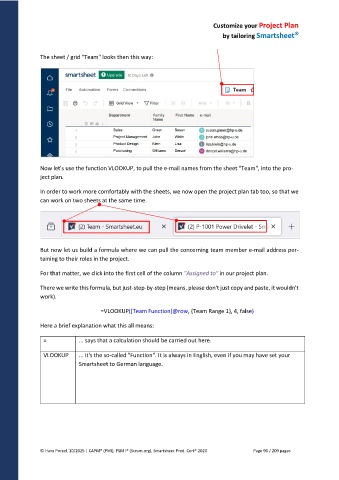
The sheet / grid "Team" looks then this way:
Now let's use the function VLOOKUP, to pull the e-mail names from the sheet "Team", into the pro-
ject plan.
In order to work more comfortably with the sheets, we now open the project plan tab too, so that we
can work on two sheets at the same time.
But now let us build a formula where we can pull the concerning team member e-mail address per-
taining to their roles in the project.
For that matter, we click into the first cell of the column "Assigned to" in our project plan.
There we write this formula, but just-step-by-step (means, please don't just copy and paste, it wouldn't
work).
=VLOOKUP([Team Function]@row, {Team Range 1}, 4, false)
Here a brief explanation what this all means:
= ... says that a calculation should be carried out here.
VLOOKUP ... it's the so-called "Function". It is always in English, even if you may have set your
Smartsheet to German language.
© Hans Porzel, 10/2025 | CAPM® (PMI), PSM I® (Scrum.org), Smartsheet Prod. Cert® 2020 Page 90 / 209 pages

