


Page 95 - Customize-Project-Plan-by-tailoring-Smartsheet
P. 95
Customize your Project Plan
by tailoring Smartsheet
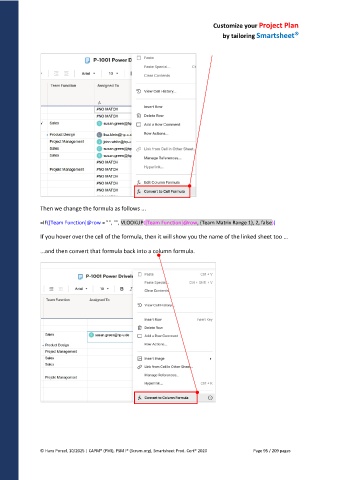
Then we change the formula as follows ...
=IF([Team Function]@row = "", "", VLOOKUP([Team Function]@row, {Team Matrix Range 1}, 2, false))
If you hover over the cell of the formula, then it will show you the name of the linked sheet too ...
...and then convert that formula back into a column formula.
© Hans Porzel, 10/2025 | CAPM® (PMI), PSM I® (Scrum.org), Smartsheet Prod. Cert® 2020 Page 95 / 209 pages

