


Page 34 - Customize-Project-Plan-by-tailoring-Smartsheet
P. 34
Customize your Project Plan
by tailoring Smartsheet
CASE STUDY
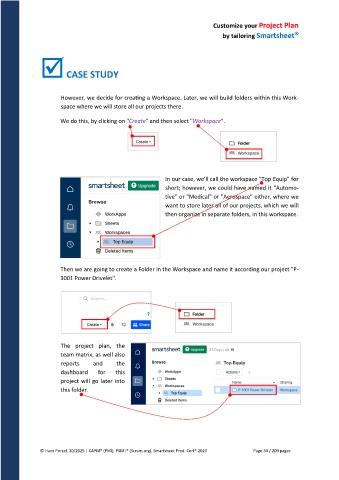
However, we decide for creating a Workspace. Later, we will build folders within this Work-
space where we will store all our projects there.
We do this, by clicking on "Create" and then select "Workspace".
In our case, we'll call the workspace "Top Equip" for
short; however, we could have named it "Automo-
tive" or "Medical" or "Aerospace" either, where we
want to store later all of our projects, which we will
then organize in separate folders, in this workspace.
Then we are going to create a Folder in the Workspace and name it according our project "P-
1001 Power Drivelet".
The project plan, the
team matrix, as well also
reports and the
dashboard for this
project will go later into
this folder.
© Hans Porzel, 10/2025 | CAPM® (PMI), PSM I® (Scrum.org), Smartsheet Prod. Cert® 2020 Page 34 / 209 pages

