


Page 69 - Customize-Project-Plan-by-tailoring-Smartsheet
P. 69
Customize your Project Plan
by tailoring Smartsheet
25. Conditional Formatting
25.1. Conditional Formatting
You may know this feature still already from Microsoft Excel , where entire rows can be colored
using Conditional Formatting. Smartsheet has a similar feature which can help us to recognize
the status of the slack time.
CASE STUDY
You probably remember what we said about slack time: "As long as the number is positive, our
schedule is fine, but if the number is negative, then we can already see here that we have to do
something to avoid missing the due date."
But it's quite tedious to look at this number again and again and see if there might be a minus sign
in front of it at some point. So, wouldn't it be easier to visualize this, e.g., if the number indicating
the slack time would go beneath zero, then the whole row would turn red?
We can do this with conditional formatting. We can set up a rule and then Smartsheet monitors
the behavior (if there is a negative or positive number either) of the slack time for us.
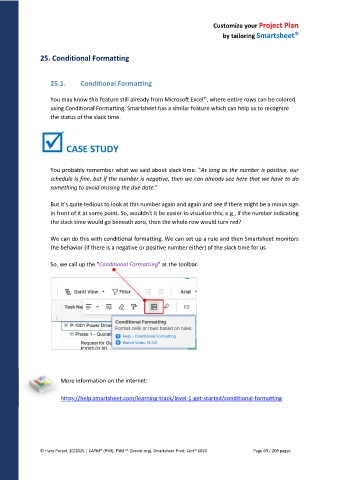
So, we call up the "Conditional Formatting" at the toolbar.
More information on the internet:
https://help.smartsheet.com/learning-track/level-1-get-started/conditional-formatting
© Hans Porzel, 10/2025 | CAPM® (PMI), PSM I® (Scrum.org), Smartsheet Prod. Cert® 2020 Page 69 / 209 pages

