


Page 55 - Customize-Project-Plan-by-tailoring-Smartsheet
P. 55
Customize your Project Plan
by tailoring Smartsheet
19. Rows & Columns (Fields)
19.1. Rows & Columns (Fields)
19.1.1. Insert or remove rows / columns
INS
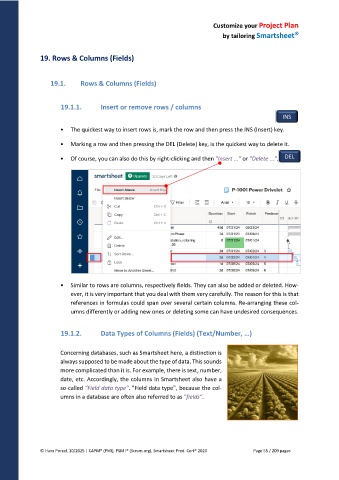
• The quickest way to insert rows is, mark the row and then press the INS (Insert) key.
• Marking a row and then pressing the DEL (Delete) key, is the quickest way to delete it.
• Of course, you can also do this by right-clicking and then "Insert ..." or "Delete ...". DEL
• Similar to rows are columns, respectively fields. They can also be added or deleted. How-
ever, it is very important that you deal with them very carefully. The reason for this is that
references in formulas could span over several certain columns. Re-arranging these col-
umns differently or adding new ones or deleting some can have undesired consequences.
19.1.2. Data Types of Columns (Fields) (Text/Number, …)
Concerning databases, such as Smartsheet here, a distinction is
always supposed to be made about the type of data. This sounds
more complicated than it is. For example, there is text, number,
date, etc. Accordingly, the columns in Smartsheet also have a
so-called "Field data type". "Field data type", because the col-
umns in a database are often also referred to as "fields".
© Hans Porzel, 10/2025 | CAPM® (PMI), PSM I® (Scrum.org), Smartsheet Prod. Cert® 2020 Page 55 / 209 pages

