


Page 102 - Customize-Project-Plan-by-tailoring-Smartsheet
P. 102
Customize your Project Plan
by tailoring Smartsheet
b) Checkbox - Done vs. Open
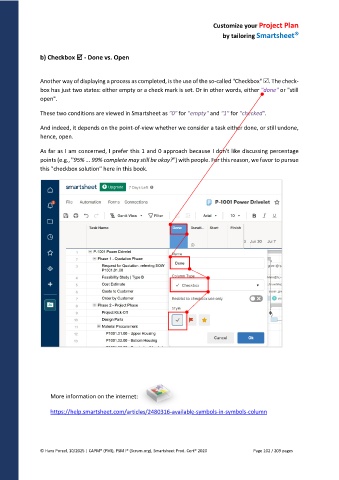
Another way of displaying a process as completed, is the use of the so-called "Checkbox" . The check-
box has just two states: either empty or a check mark is set. Or in other words, either "done" or "still
open".
These two conditions are viewed in Smartsheet as "0" for "empty" and "1" for "checked".
And indeed, it depends on the point-of-view whether we consider a task either done, or still undone,
hence, open.
As far as I am concerned, I prefer this 1 and 0 approach because I don't like discussing percentage
points (e.g., "95% ... 99% complete may still be okay?") with people. For this reason, we favor to pursue
this "checkbox solution" here in this book.
More information on the internet:
https://help.smartsheet.com/articles/2480316-available-symbols-in-symbols-column
© Hans Porzel, 10/2025 | CAPM® (PMI), PSM I® (Scrum.org), Smartsheet Prod. Cert® 2020 Page 102 / 209 pages

