


Page 112 - Customize-Project-Plan-by-tailoring-Smartsheet
P. 112
Customize your Project Plan
by tailoring Smartsheet
39. Views (Gantt-, Grid, Card, …)
39.1. Views (Gantt-, Grid, Card, …)
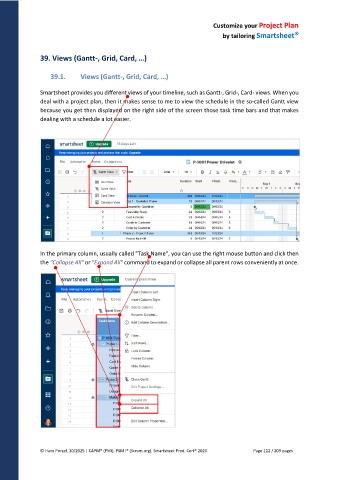
Smartsheet provides you different views of your timeline, such as Gantt-, Grid-, Card- views. When you
deal with a project plan, then it makes sense to me to view the schedule in the so-called Gantt view
because you get then displayed on the right side of the screen those task time bars and that makes
dealing with a schedule a lot easier.
In the primary column, usually called "Task Name", you can use the right mouse button and click then
the "Collapse All" or "Expand All" command to expand or collapse all parent rows conveniently at once.
© Hans Porzel, 10/2025 | CAPM® (PMI), PSM I® (Scrum.org), Smartsheet Prod. Cert® 2020 Page 112 / 209 pages

