


Page 133 - Customize-Project-Plan-by-tailoring-Smartsheet
P. 133
Customize your Project Plan
by tailoring Smartsheet
48.1.2. Permanent Filter
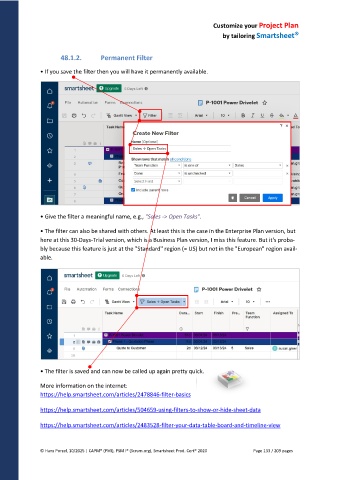
• If you save the filter then you will have it permanently available.
• Give the filter a meaningful name, e.g., "Sales -> Open Tasks".
• The filter can also be shared with others. At least this is the case in the Enterprise Plan version, but
here at this 30-Days-Trial version, which is a Business Plan version, I miss this feature. But it's proba-
bly because this feature is just at the "Standard" region (= US) but not in the "European" region avail-
able.
• The filter is saved and can now be called up again pretty quick.
More information on the internet:
https://help.smartsheet.com/articles/2478846-filter-basics
https://help.smartsheet.com/articles/504659-using-filters-to-show-or-hide-sheet-data
https://help.smartsheet.com/articles/2483528-filter-your-data-table-board-and-timeline-view
© Hans Porzel, 10/2025 | CAPM® (PMI), PSM I® (Scrum.org), Smartsheet Prod. Cert® 2020 Page 133 / 209 pages

